

Third Party Findings
Navigation path
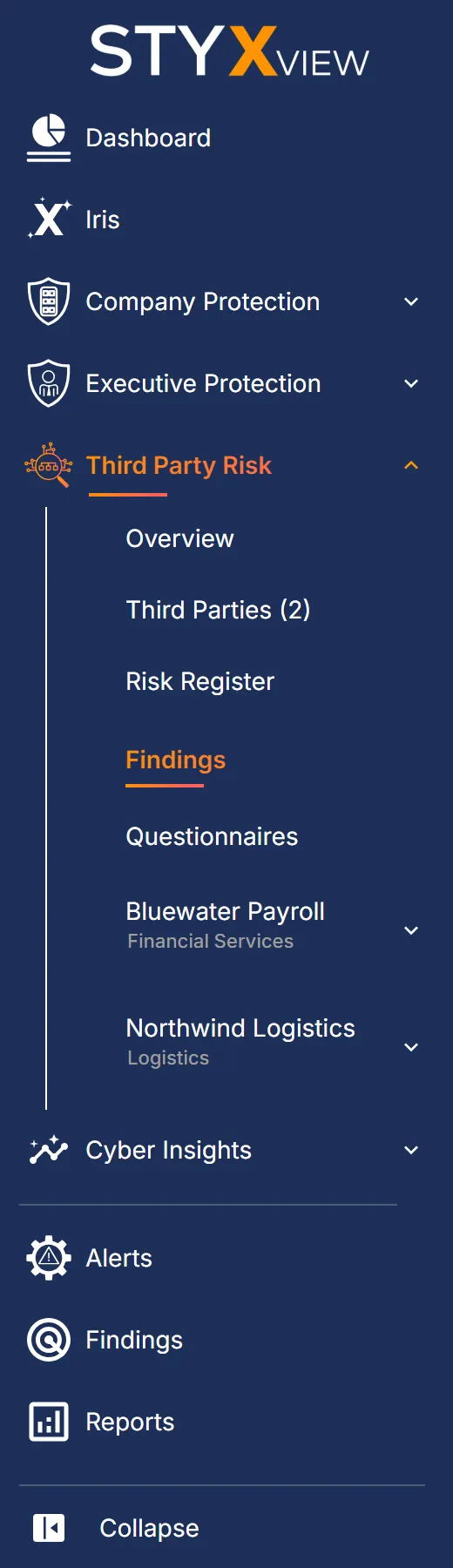
Section titled “Navigation path”- Third Party Risk → Findings lists the findings for all your third parties.
- Third Party Risk → a third party → Findings → All Findings lists the findings for that third party only.
Overview
Section titled “Overview”Purpose: The issues StyxView detects for your third parties, such as exposed services, certificate problems, lookalike domains, and leaked data, are findings like your own. This page puts them in one list, so you can see which third parties carry the most serious issues without opening each one.
The same list is the "Third Party Risk" tab on the Findings page.
What it shows
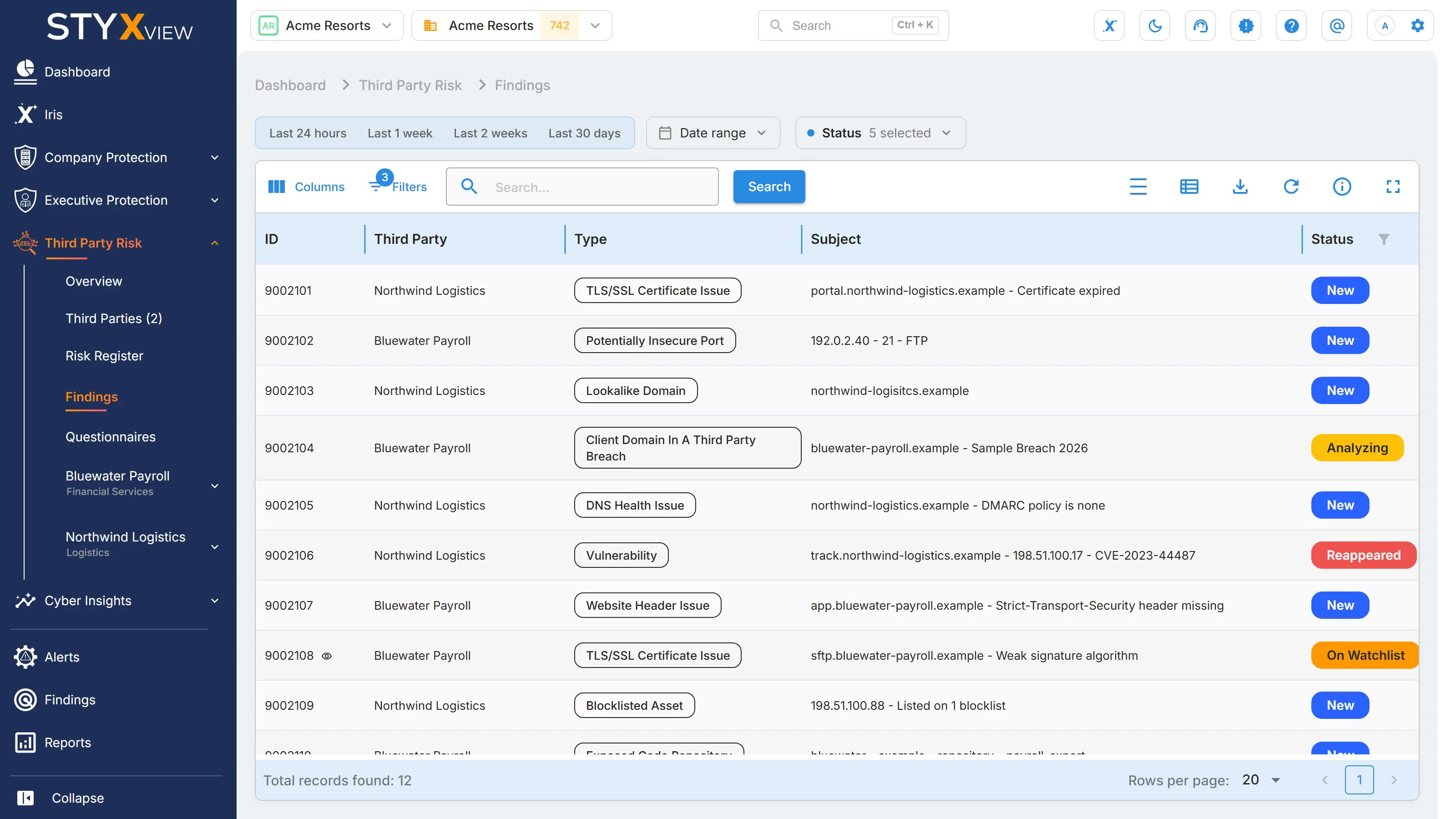
Section titled “What it shows”| Column | What it shows |
|---|---|
| "ID" | The finding's permanent identifier. |
| "Third Party" | The third party the finding belongs to. Shown on the list for all third parties only. |
| "Type" | The kind of issue, such as "Lookalike Domain" or "TLS/SSL Certificate Issue". |
| "Subject" | The affected domain, host, account, or other asset. |
| "Status" | Where the finding is in the triage workflow. See Finding Status Options. |
| "First Seen" | When the finding was first detected. |
| "Last Seen" | When the finding was most recently detected. |
| "Severity" | How serious the finding is. |
| "Relationship" | "Ended" when the third party's lifecycle status is "Offboarding / Termination in Progress", "Rejected / Not Approved", or "Offboarded / Decommissioned"; "Current" for any other status, or none. Shown on the list for all third parties only. |
The list opens with the findings in an open status and not marked as false positive, most recently found first. On the list for all third parties, it also opens with the filter "Relationship" is "Current", so the findings of third parties whose relationship has ended stay out until you remove that filter. The time filter, the "Status" menu, and the toolbar work as on the Findings page.
Shared findings
Section titled “Shared findings”StyxView keeps one record of a third party's findings for every organisation that monitors it. So the list does not show "Assigned User" or "Latest Comment", and the findings cannot be updated, assigned, or commented on from here: a finding's status is the third party's, not yours.
Select a row to open the finding's detail page. To record what a finding means for your organisation, raise a risk from it in the third party's Risk Register.
One third party
Section titled “One third party”Under a third party's entry in the sidebar, "Findings" holds "All Findings", which lists that third party's findings only, and its detection pages: "Asset Reputation", "DNS Health Issues", "Network Security", "AppSec and Vulnerabilities", "TLS/SSL Certificate Issues", "Data Leakage & Dark Web Detection", and "Lookalike Domains". See Individual Third Party Dashboard.
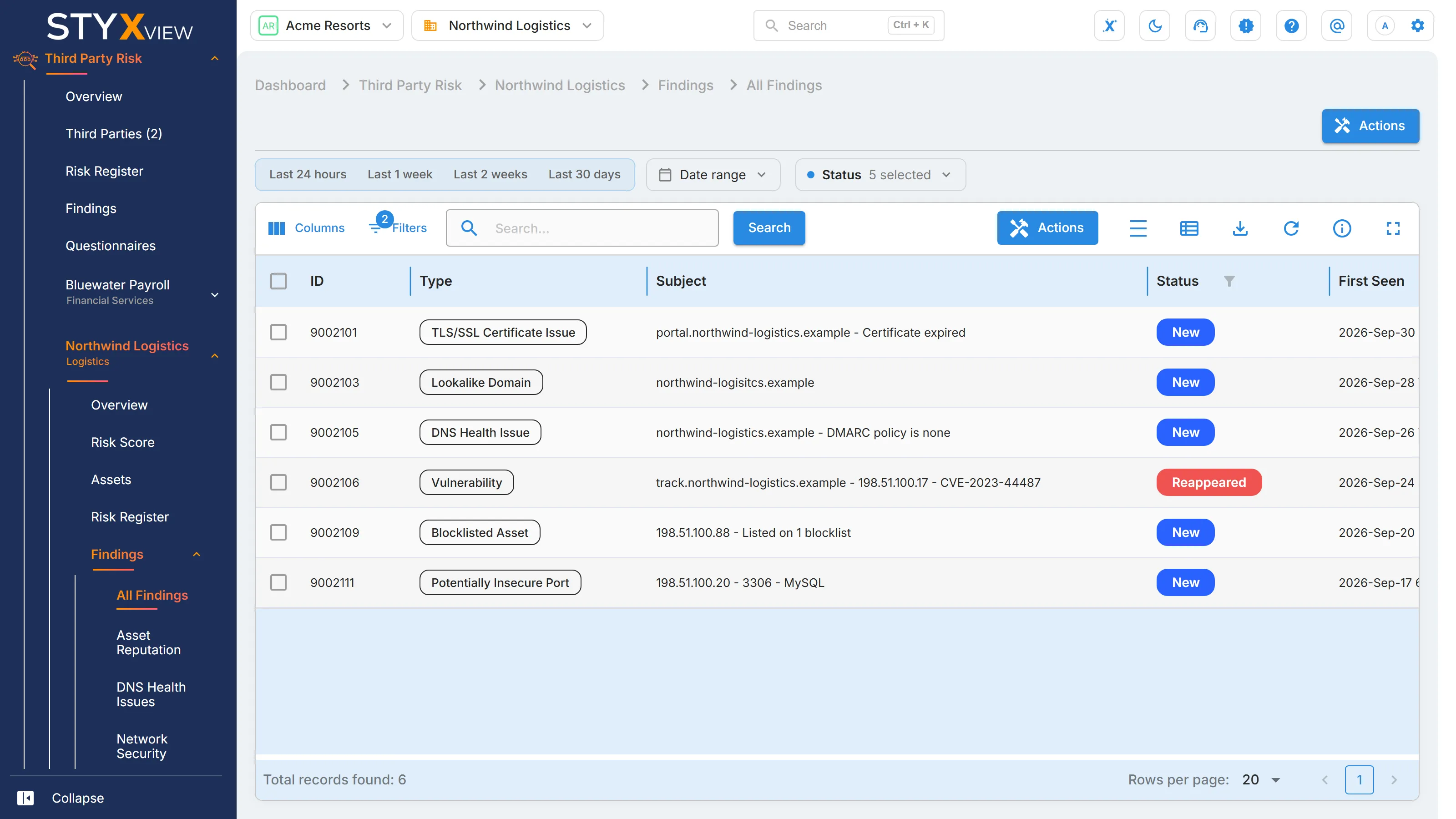
On "All Findings", "Actions" offers "Create Risk", which raises a risk from the selected findings in that third party's Risk Register.