Response Actions
A response action is a request raised through StyxView to have infringing content removed by the service provider carrying it, such as a host, registrar, social platform, or app store. A takedown is one kind of response action; suspending a domain or an account are others.
"Response Actions" lists every response action raised for your account, with its status and latest progress, so your team can follow each request and keep an audit trail.
To open it, select "Company Protection" in the left menu, then "Brand Protection", then "Response Actions". The page has two tabs: "Response Actions" and "LOA Documents".
Raising a response action
Section titled “Raising a response action”You raise a response action from a finding with "Request Takedown", on the Lookalike Domains, Impersonating Social Media Accounts, Potential Employee Profiles, Rogue Mobile Apps, and Unauthorized Job Postings grids or on a finding's detail page. The steps are in Requesting a takedown.
The StyxView takedown team prepares the request and files it with the service provider. The type of action follows the finding:
| Finding | "Action Type" |
|---|---|
| Lookalike domain | "Domain Suspension" |
| Impersonating social media account or potential employee profile | "Account Suspension" |
| Rogue mobile app or unauthorised job posting | "Takedown" |
Response Actions
Section titled “Response Actions”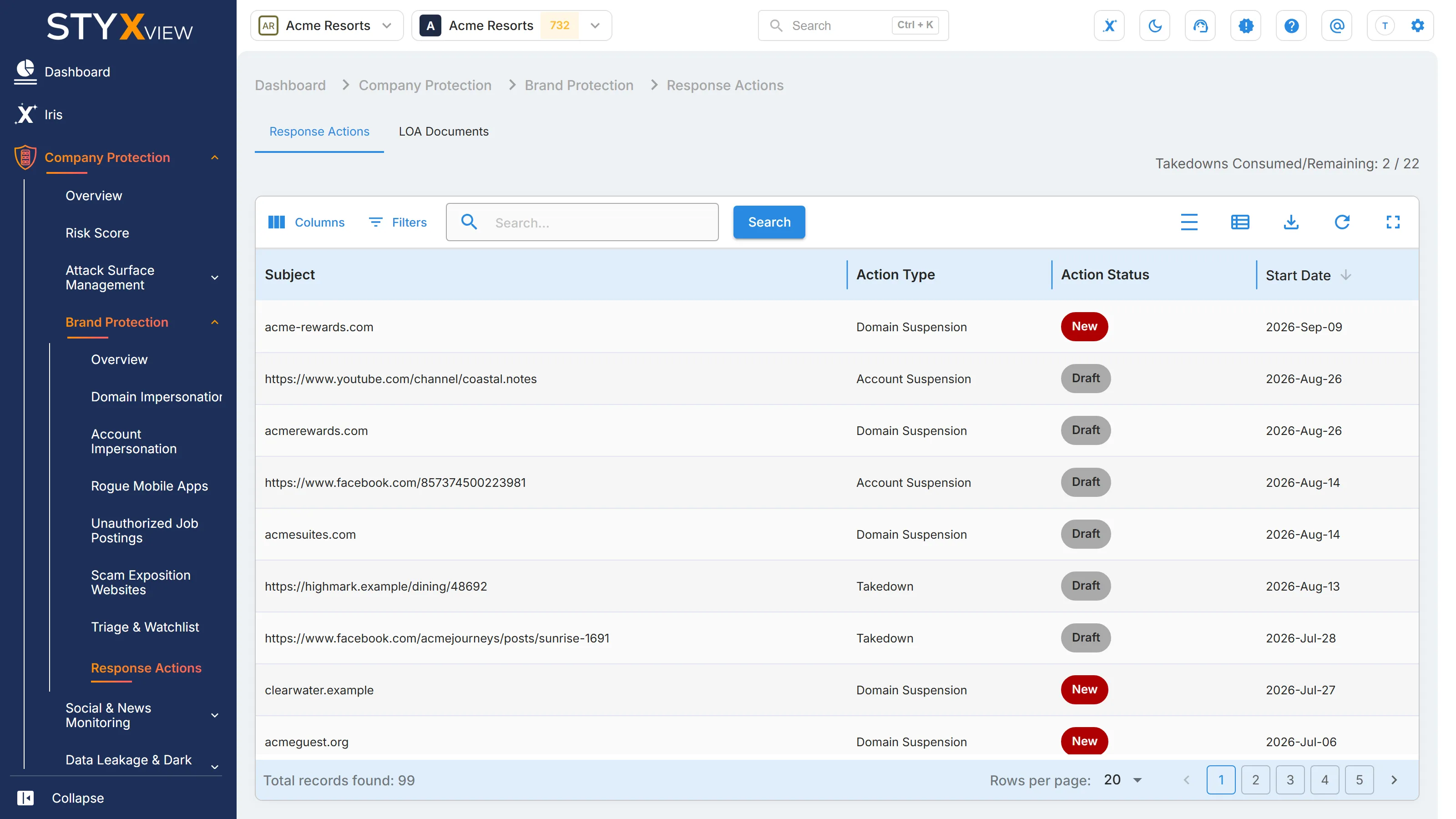
| Column | What it shows |
|---|---|
| "Subject" | The domain, address, or account the request is about. |
| "Action Type" | The kind of response action. |
| "Action Status" | Where the request has reached. See Action statuses. |
| "Start Date" | When the request was raised. |
| "Resolution Date" | When the request was closed. |
| "Latest Log Entry" | The most recent update recorded on the request. |
The grid opens sorted by "Start Date", newest first. Filter it by "Action Type" or "Action Status" under "Filters". The toolbar is described in Action & Filter Bar.
Above the grid, "Takedowns Consumed/Remaining" shows how many takedowns your subscription has used and how many are left. When your subscription has no set allowance, it shows "Takedowns Consumed" only.
Action statuses
Section titled “Action statuses”| Status | Meaning |
|---|---|
| "Draft" | Raised and not yet picked up by the takedown team. A request you raise from a finding starts here. |
| "New" | Picked up by the takedown team for analysis. |
| "In Progress" | Being pursued with the service provider. |
| "Resolved" | Completed. |
| "Closed without Action" | Closed without the content being taken down or suspended. |
| "Re-opened" | Reopened after being closed, for example because the content came back. |
A request that has been sent to a service provider is not yet a removal. Watch for "Resolved". To withdraw a request the service provider has not acted on yet, contact the StyxView Support Team.
LOA Documents
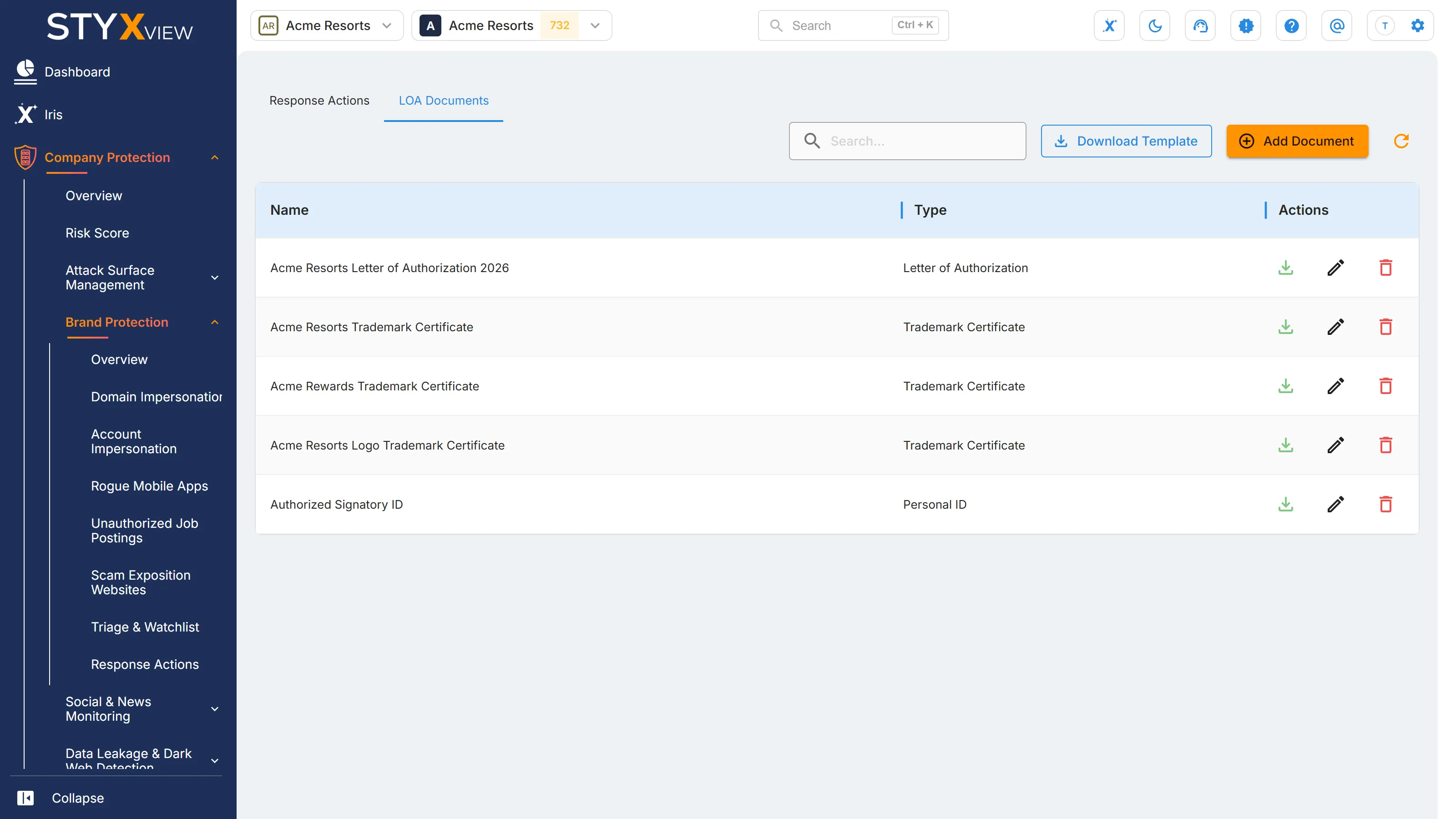
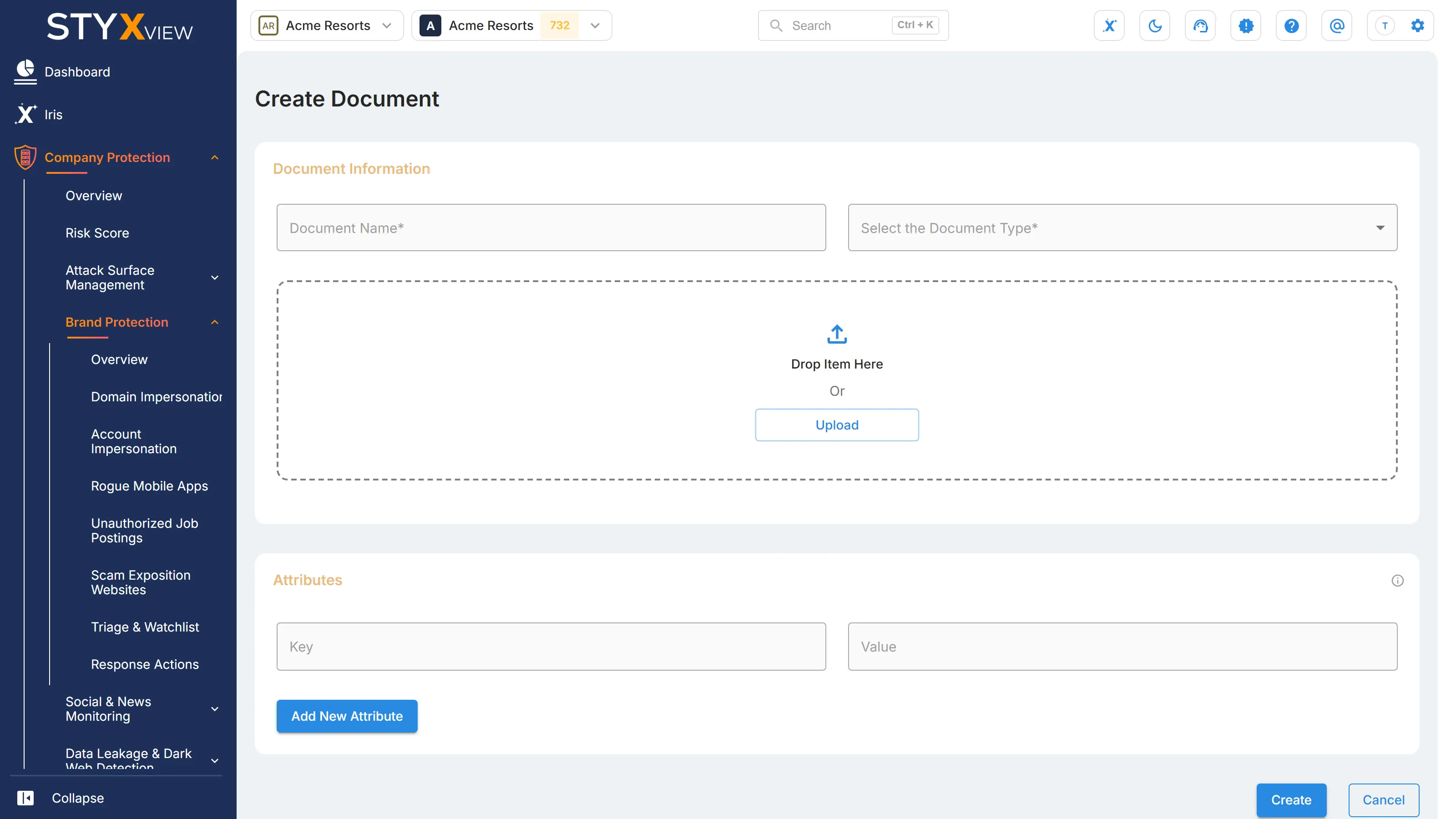
Section titled “LOA Documents”"LOA Documents" holds your letters of authorisation (LOA) and other documents that support your response actions.
-
Select "Download Template" to get the letter of authorisation template.
-
Select "Add Document" to upload a document. Enter a "Document Name", choose a type in "Select the Document Type", and upload the file as a PDF. Under "Attributes", select "Add New Attribute" to record extra details as "Key" and "Value" pairs. Select "Create".
-
In the document list, use the icons in the "Actions" column to download, edit, or delete a document.