
Threat Actors
Ransomware
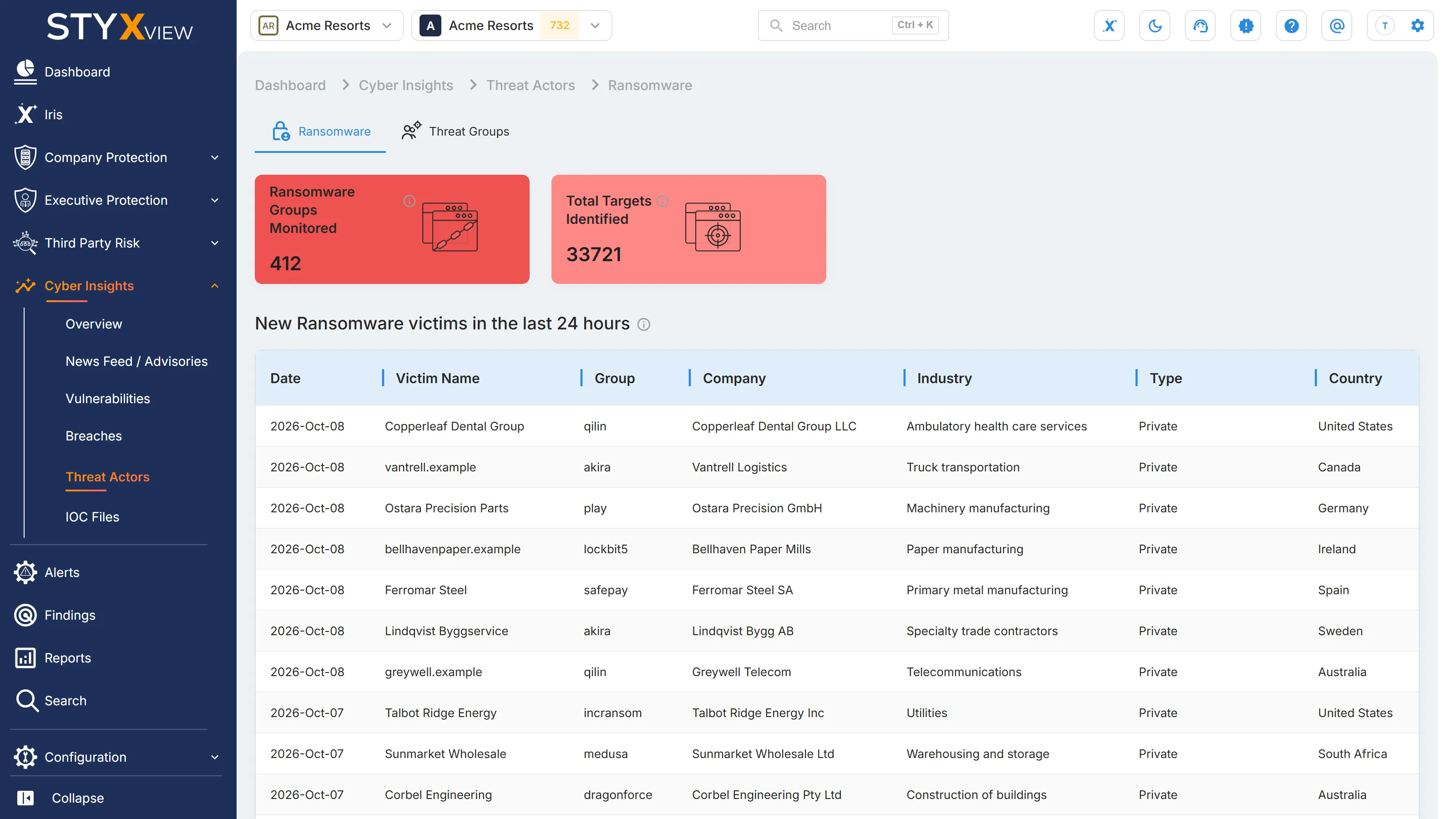
Section titled “Ransomware”"Ransomware" tracks ransomware groups through their leak sites, and the organisations they name there as victims. Use it to see which groups are active, who they are naming, and in which industries and countries.
A group naming a victim is a claim the group publishes to apply pressure. It is not confirmation that data was taken or that it is genuine.
To open it, select Cyber Insights, then "Threat Actors", in the sidebar. "Ransomware" is the first tab.
Ransomware Group Monitored
Section titled “Ransomware Group Monitored”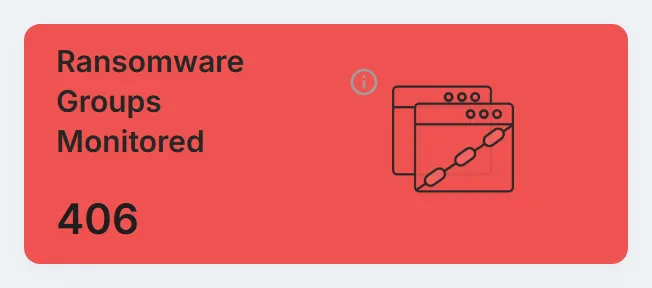
The "Ransomware Groups Monitored" card counts the ransomware groups whose leak sites StyxView tracks. Select it to open "Ransomware Groups", a list of every tracked site. A group can have several.
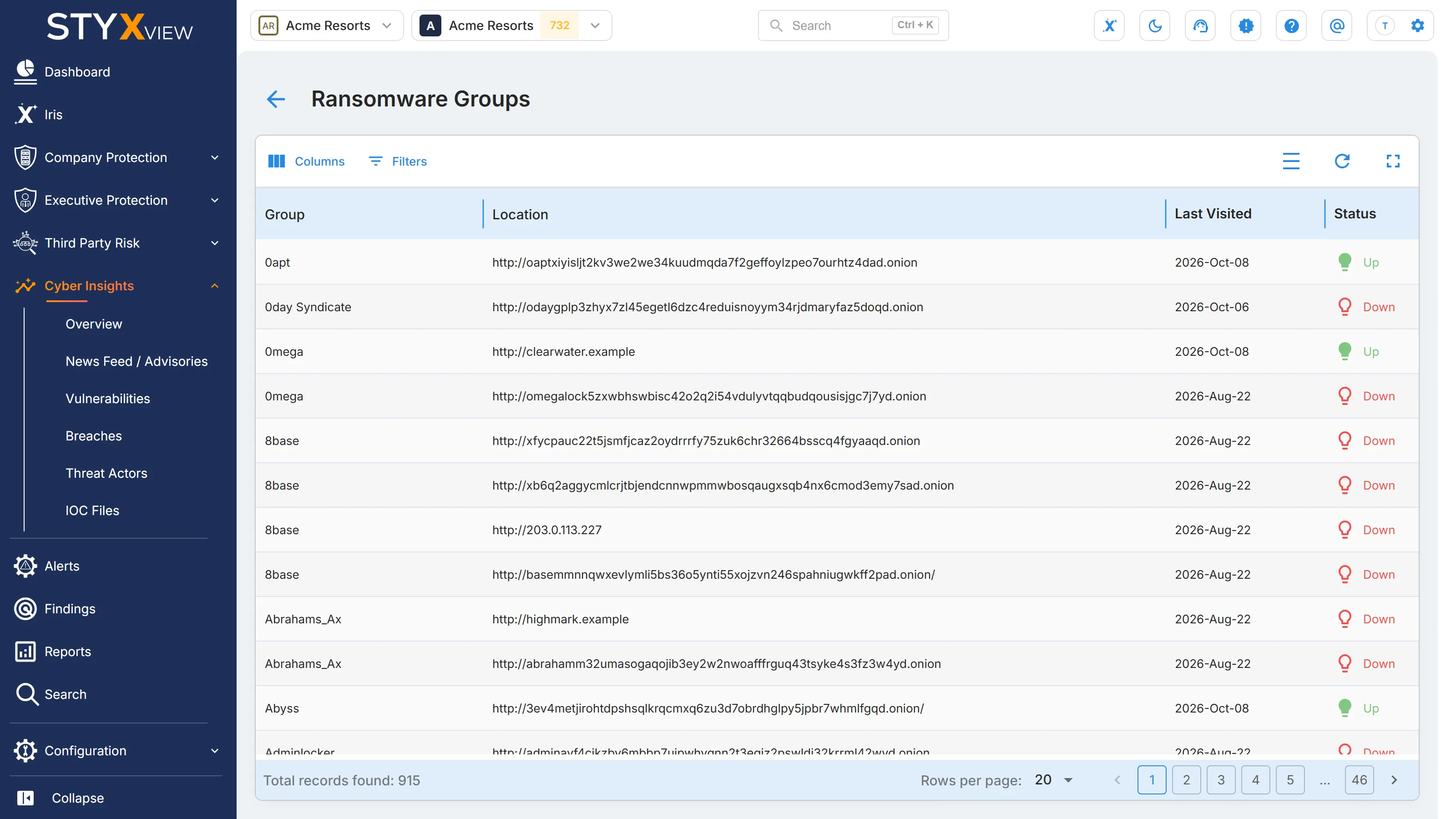
| Column | What it shows |
|---|---|
| "Group" | The ransomware group. |
| "Location" | The address of the group's leak site or other channel. |
| "Last Visited" | When StyxView last checked the site. |
| "Status" | "Up" if the site was reachable at the last check, "Down" if it was not. Leak sites go down and come back often, so "Down" does not mean the group has stopped. |
Open "Filters" to filter by "Group" (type part of the name and choose it) or "Status". Select the back arrow to return to "Ransomware".
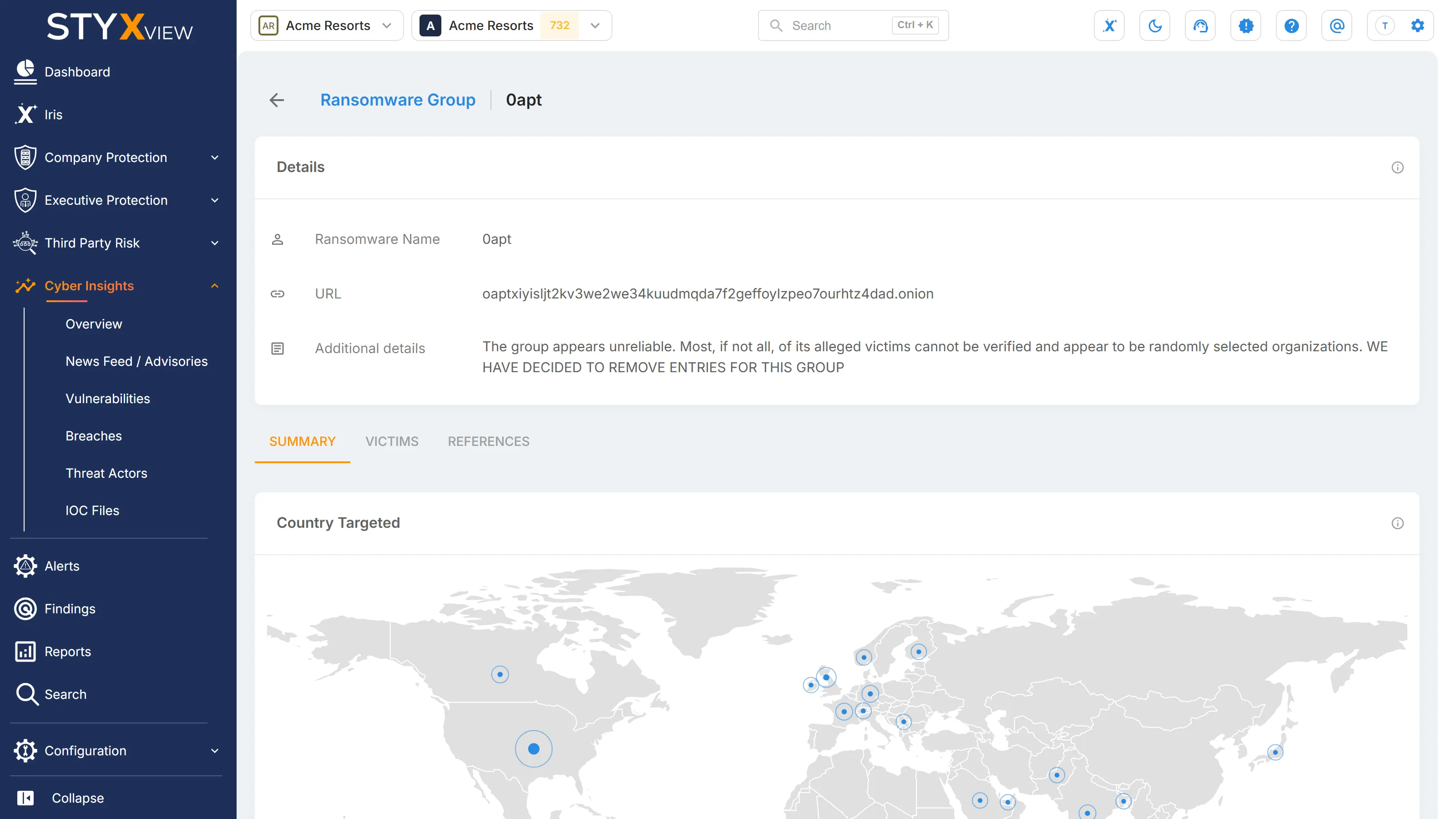
Select a row to open the group's record:
- "Details": "Ransomware Name", "URL" (the group's known sites), and "Additional details".
- "Summary": "Country Targeted", a map, and "Industry Targeted", a chart.
- "Victims": the organisations the group has named, with "Date", "Target Name", "Company", "Industry", "Type", and "Country".
- "References": published sources about the group.
Total Targets Identified
Section titled “Total Targets Identified”
The "Total Targets Identified" card counts the organisations named as victims by the monitored groups. Select it to open "Victims", the full list.
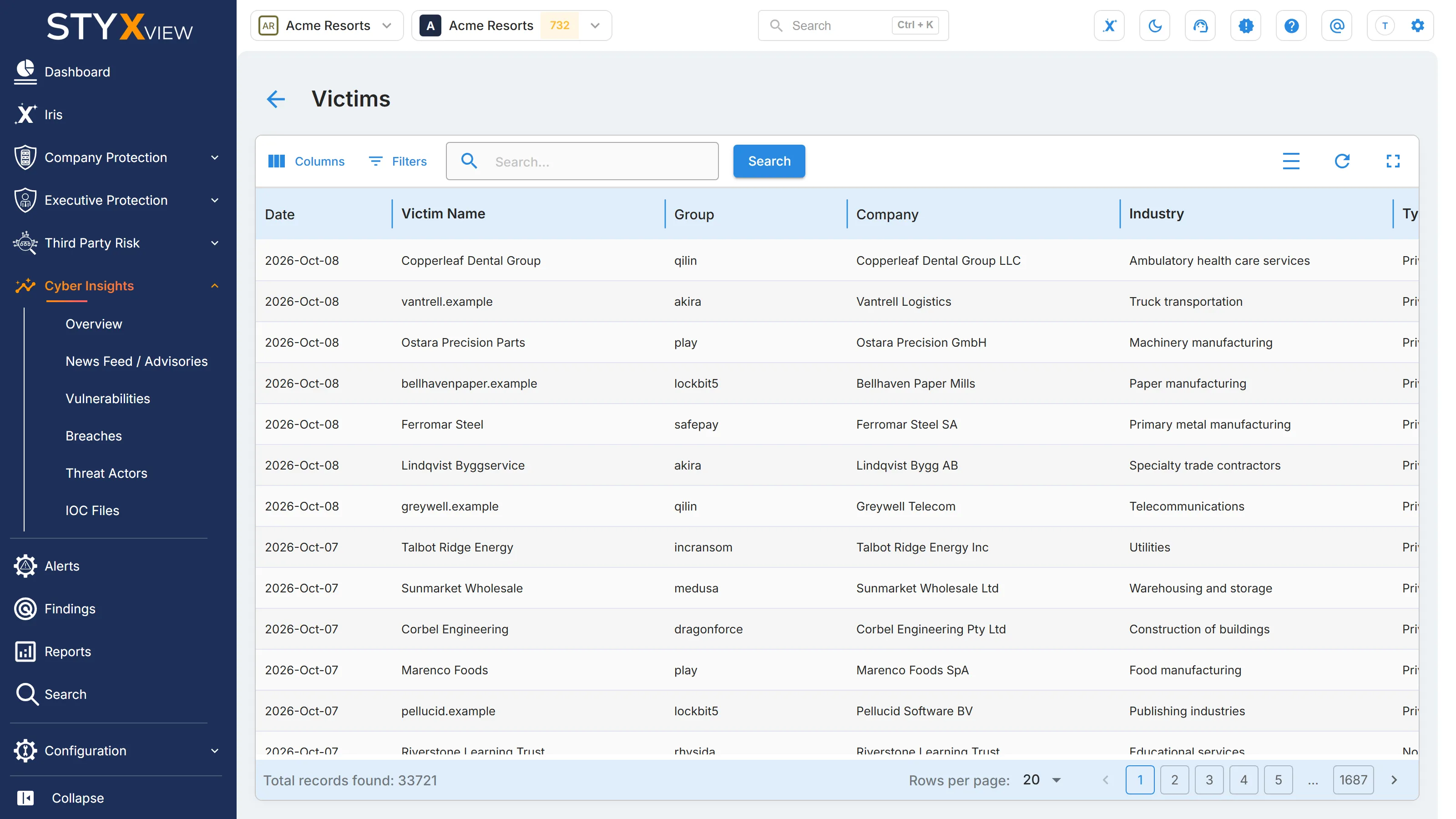
| Column | What it shows |
|---|---|
| "Date" | When the victim was discovered on the group's site. |
| "Victim Name" | The name or domain the group posted. |
| "Group" | The group that named the victim. |
| "Company" | The organisation's name. |
| "Industry" | The organisation's industry. |
| "Type" | The kind of organisation, such as Private or Public. |
| "Country" | The organisation's country. |
Open "Filters" to filter by "Industry", "Type", or "Country". To search, enter a keyword in the search box and select "Search". Select the back arrow to return to "Ransomware".
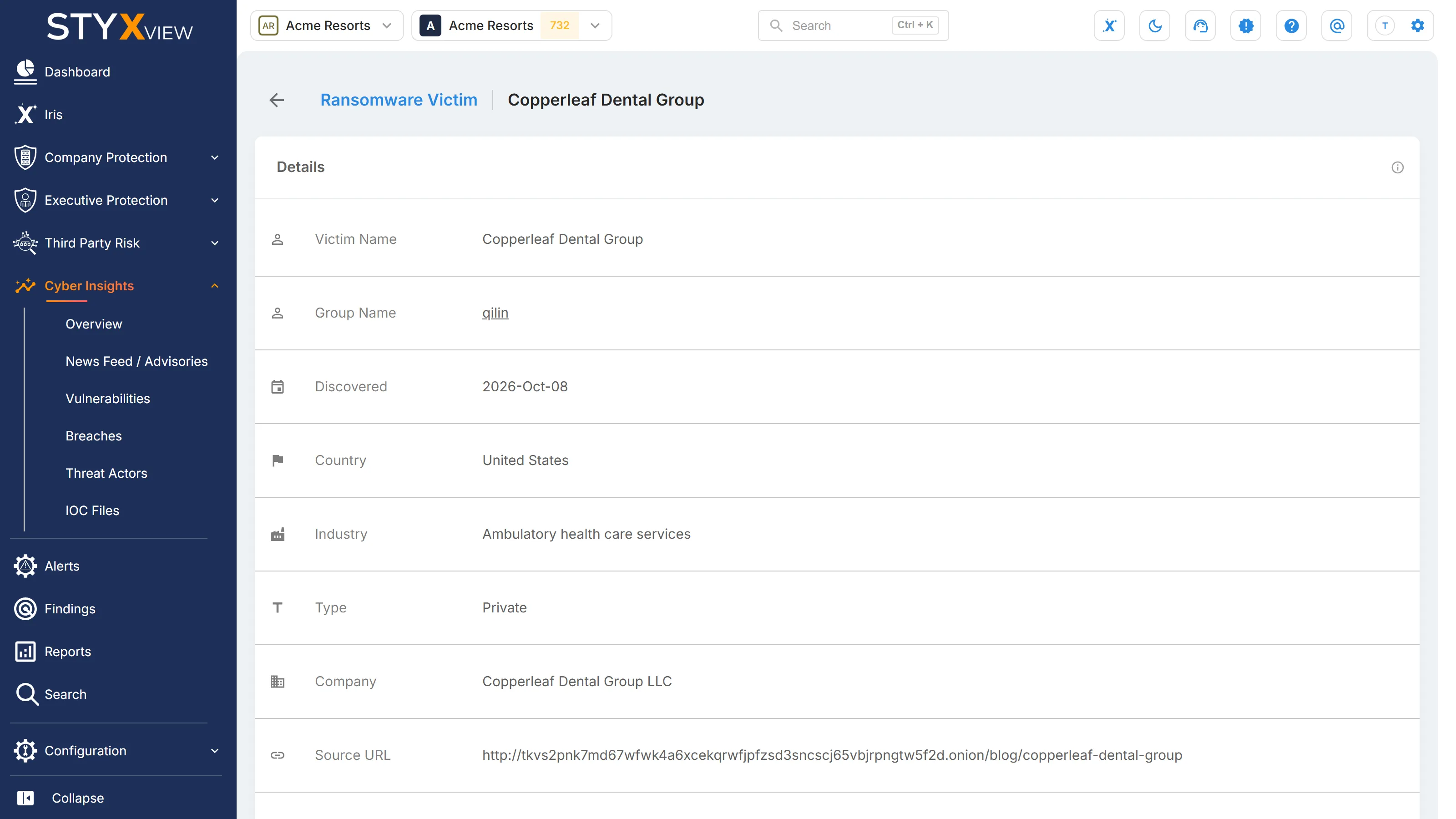
Select a row to open the victim's record: "Victim Name", "Group Name", "Discovered", "Country", "Industry", "Type", "Company", "Source URL", and "Additional details".
New Ransomware Victims in the Last 24 Hours
Section titled “New Ransomware Victims in the Last 24 Hours”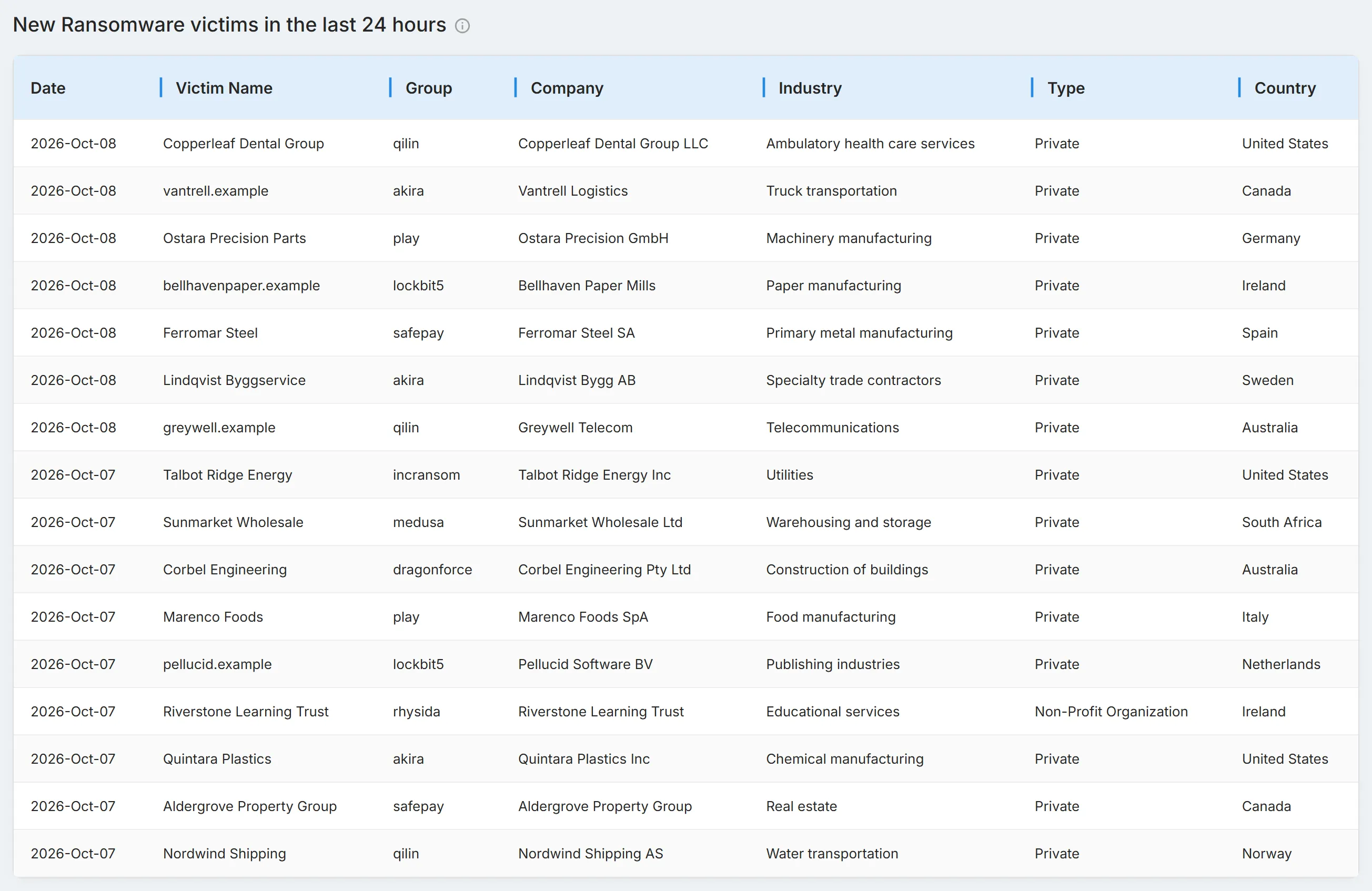
"New Ransomware victims in the last 24 hours" lists the victims named in the past day, with the same columns as "Victims". Select a row to open the victim's record.
Threat Groups
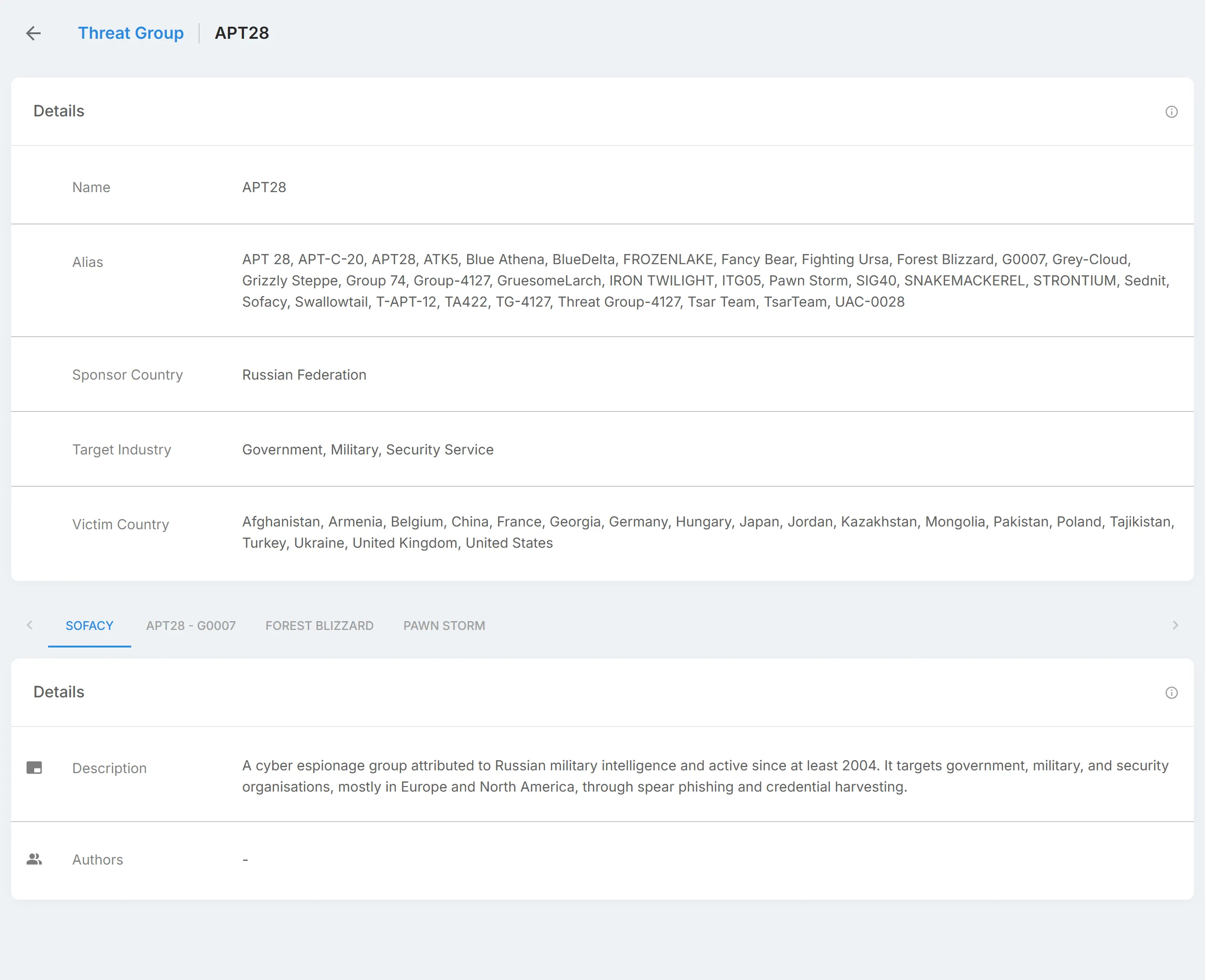
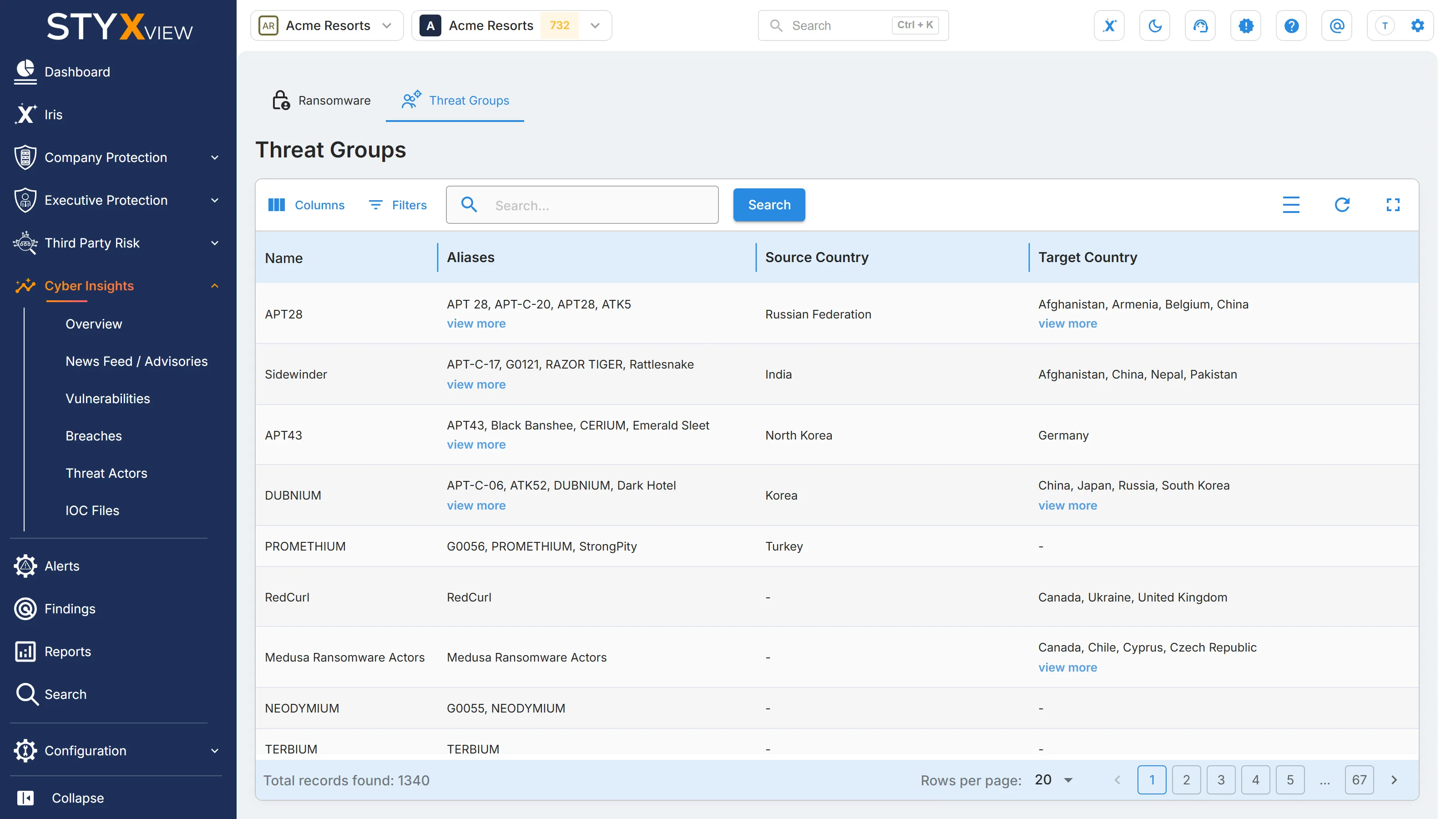
Section titled “Threat Groups”"Threat Groups" profiles cyber threat groups, including state-sponsored groups and advanced persistent threats (APTs). "Ransomware" follows groups through their leak sites; "Threat Groups" covers a broader range of actors and how they target organisations.
To open it, select Cyber Insights, then "Threat Actors", in the sidebar, then the "Threat Groups" tab.
Columns
Section titled “Columns”| Column | What it shows |
|---|---|
| "Name" | The group's main name. |
| "Aliases" | Other names for the same group. Security companies and researchers often give the same group different names. |
| "Source Country" | Where the group is assessed to operate from. This is an assessment, not an attribution. |
| "Target Country" | The countries where the group's victims are. |
| "Target Industry" | The industries the group targets. |
Long lists in a cell are shortened. Expand the cell to see them all.
Open "Filters" to filter by "Source Country", "Target Country", or "Target Industry". To search, enter a keyword in the search box and select "Search".
Threat group record
Section titled “Threat group record”Select a row to open the group's record:
- "Details": "Name", "Alias", "Sponsor Country", "Target Industry", and "Victim Country".
- Below, one tab per profile of the group, each with "Details" ("Description" and "Authors"), "Additional Details", and "Related Objects", grouped by type, with their "Value" and "Tag".