
Cyber Insights Overview
The Cyber Insights "Overview" summarises new vulnerabilities and ransomware activity on one page. To open it, select Cyber Insights, then "Overview", in the sidebar.
Each card has an arrow at its top right that opens the full list behind it.
CVEs in the Last 24 Hours
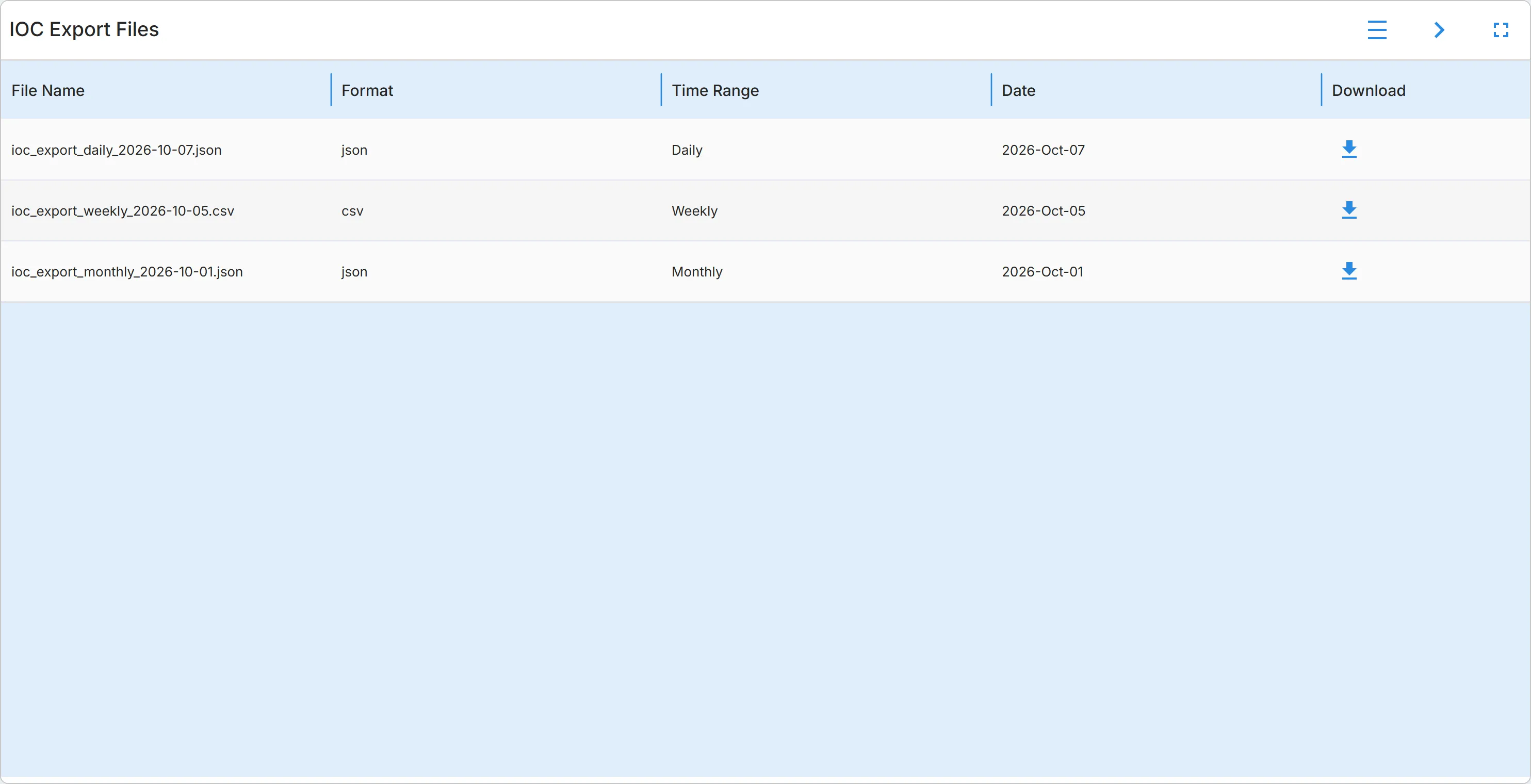
Section titled “CVEs in the Last 24 Hours”The "CVEs in last 24hrs" card lists recent Common Vulnerabilities and Exposures (CVE) entries. Each shows the CVE ID, the date the entry was last updated, and the start of its summary. Use it to spot new vulnerabilities in software you run.
The arrow opens Vulnerabilities, "CVEs" tab, where you can filter, search, and open each CVE. See CVEs.
Ransomware Victims by Group
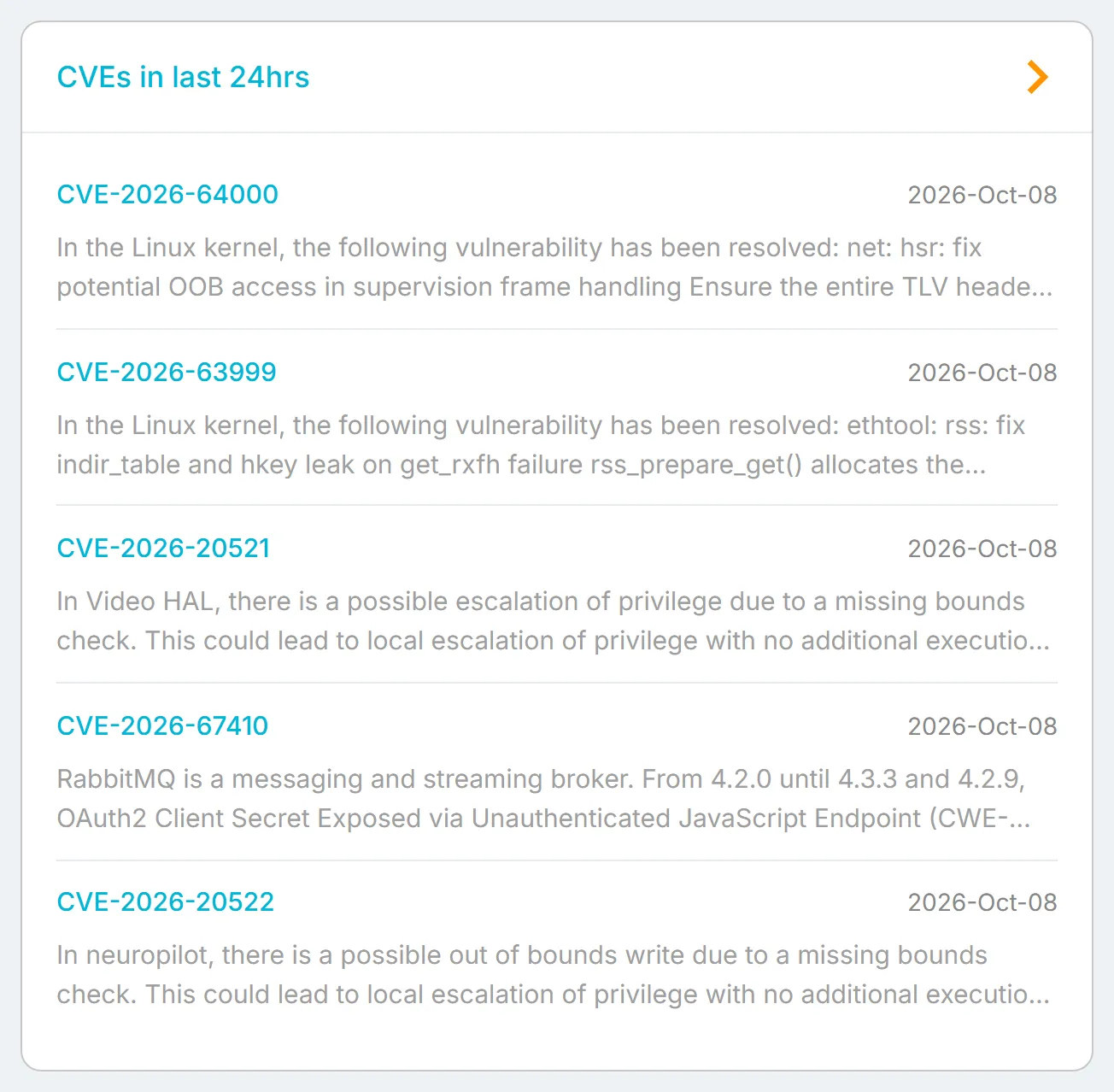
Section titled “Ransomware Victims by Group”The "Ransomware Victims by Groups" chart has one bar per ransomware group. The length of the bar is the number of victims the group has named ("Victim count"). Hover over a bar to see its count. Use it to see which groups are most active.
A group naming a victim is a claim published to apply pressure. It is not confirmation that data was taken.
The arrow opens "Ransomware Groups". See Ransomware.
Ransomware Victims Geography
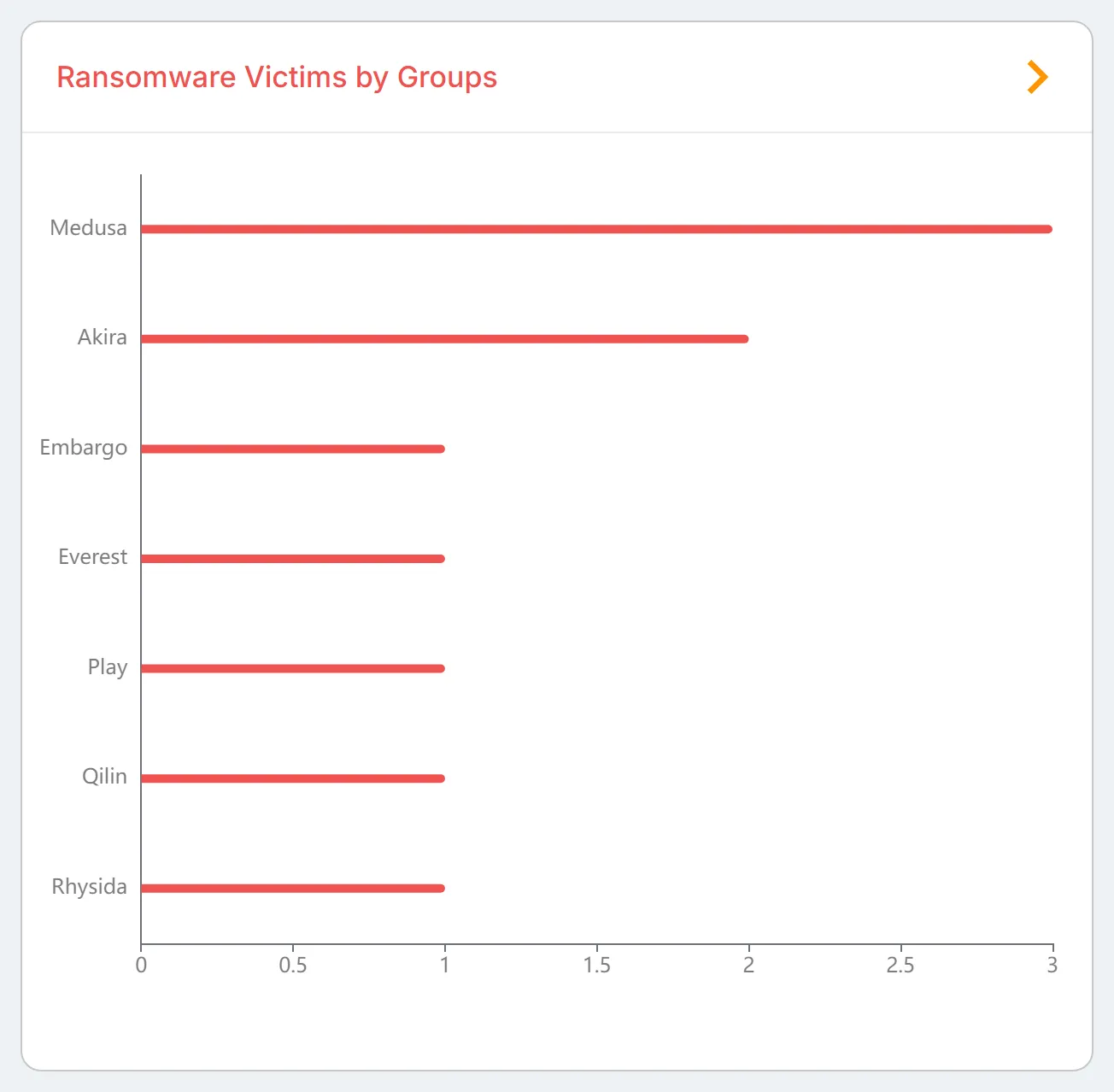
Section titled “Ransomware Victims Geography”The "Ransomware Victims" map marks each country with named ransomware victims. The larger the circle, the more victims. Hover over a circle to see the country and the number of victims each group has named there.
The arrow opens "Victims". See Ransomware.
IOC Files
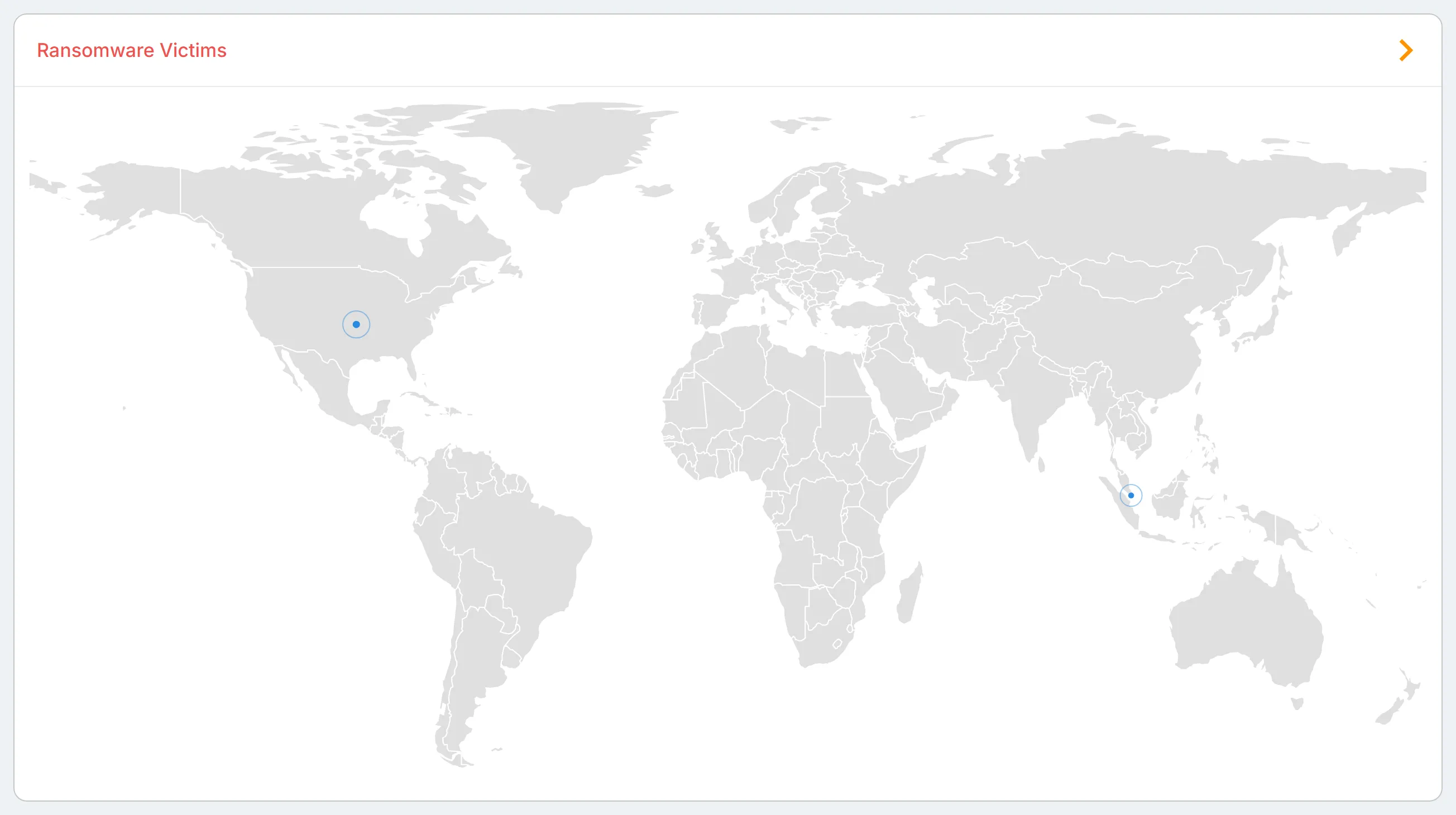
Section titled “IOC Files”"IOC Files", under "Cyber Insights" in the sidebar, lists indicator of compromise export files to download. "IOC Export Files" holds the files prepared for every customer; when files have been prepared for your account, "Filtered IOC Export Files" appears above it. Each file shows its "File Name", "Format", "Time Range", and "Date", with a "Download" button. Admins only. See IOC Files.