

Executive Protection
Executive Protection monitors risk aimed at your named executives rather than at the organisation: accounts that impersonate them, their exposed email accounts and credentials, mentions of them on the dark web, and what social media and news say about them. Executives are often targeted through personal accounts and services that sit outside your corporate controls, so StyxView monitors them separately from Company Protection.
Executive Protection appears in the sidebar when your subscription includes it.
Where to find it
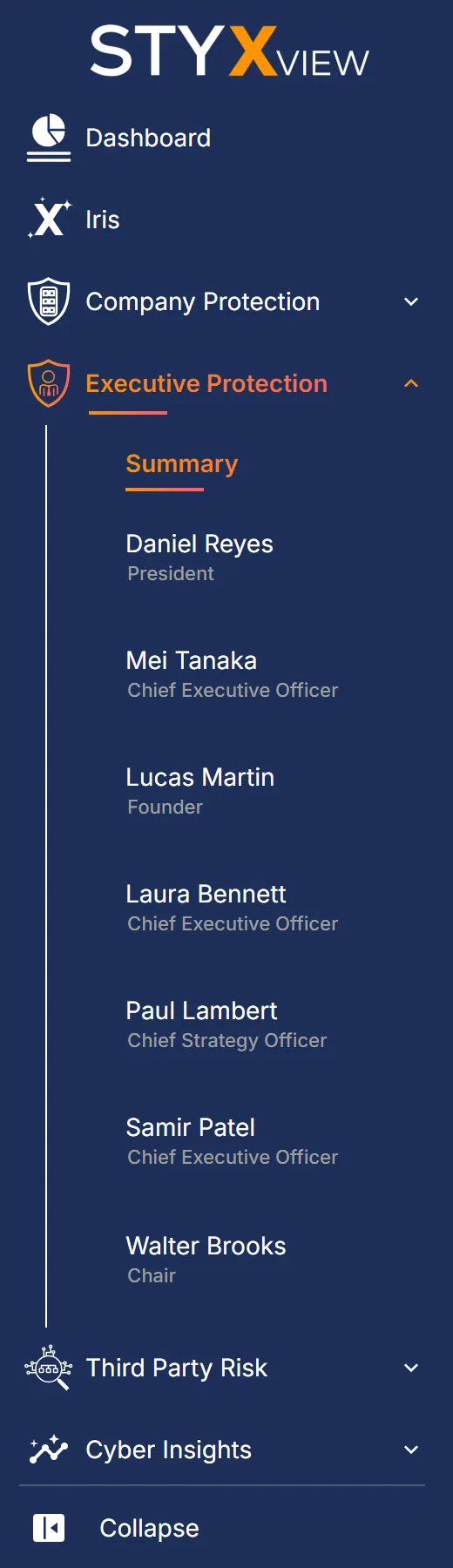
Section titled “Where to find it”In the sidebar, open Executive Protection. It lists:
- "Summary": every monitored executive on one page. See Summary.
- One entry per monitored executive, by name and title. It opens that executive's "Overview". See Executive Protection Overview.
Both views have the same tabs. On "Summary", each tab covers every executive and adds an "Executive Name" column. On an executive's page, each tab covers that executive only.
Adding an executive
Section titled “Adding an executive”Each monitored executive has their own Executive Protection policy, so you add an executive by adding a policy. Only users with the Admin role can.
- In the sidebar, select "Configuration" > "Policies".
- Find the account and select "Add Policy".
- Enter a "Policy Name", such as the executive's name, and choose "Executive Protection" as the "Solution". Select "Save".
- Fill in the policy, then select "Submit Policy for Review".
The StyxView Support Team then reviews the policy. See Policies for each step and what to fill in.
What it monitors
Section titled “What it monitors”| Tab | What it shows | Page |
|---|---|---|
| "Alerts" | Alerts raised for your executives by your alert rules. | Executive Alerts |
| "Account Impersonation" | Accounts that pose as one of your executives. | Account Impersonation |
| "Compromised Accounts" | Executive email accounts found in data breaches. | Compromised Accounts |
| "Accounts Monitored" | The executive email addresses under monitoring, and whether each has been breached. | Accounts Monitored |
| "Credential Snippets" | Leaked text fragments that contain executive credentials. | Snippets |
| "Other Mentions" | Mentions of your executives found on the dark web and other sources. | Other Mentions |
| "Negative Sentiment" | Social media posts and news articles about your executives with a negative tone. | Negative Sentiment |
| "Adverse Media" | Posts flagged for threats, violence, or profanity. | Adverse Media |
| "Social & News Analytics" | Post and article volumes by sentiment. | Social & News Analytics |
| "Social & News (ALL)" | Every social media post and news article collected about your executives. | Social & News (ALL) |
On an executive's page, "Negative Sentiment" is labelled "Negative Sentiments".
Use cases
Section titled “Use cases”- Impersonation. Find accounts that pose as an executive, confirm or dismiss each one, and request a takedown of the confirmed ones.
- Exposed accounts and credentials. See which executive email addresses appear in data breaches and credential leaks, so that passwords can be reset and multi-factor authentication enforced.
- Personal data exposure. Check the personal details found for each executive, such as date of birth, address, and phone numbers, on the executive's "Overview".
- Dark web mentions. Review mentions of your executives on dark web sources.
- Reputation. Follow the tone of social media posts and news articles about each executive, and catch negative coverage early.
- Threats. Review posts that contain threats, violence, or profanity directed at an executive.