

News Feed / Advisories
Trending News
Section titled “Trending News”"Trending News" groups current cybersecurity news by story. Use it to keep up with the incidents, vulnerabilities, and campaigns being reported now, and to read several sources on the same story side by side.
To open it, select Cyber Insights, then "News Feed / Advisories", in the sidebar. "Trending News" is the first tab.
Reading a story
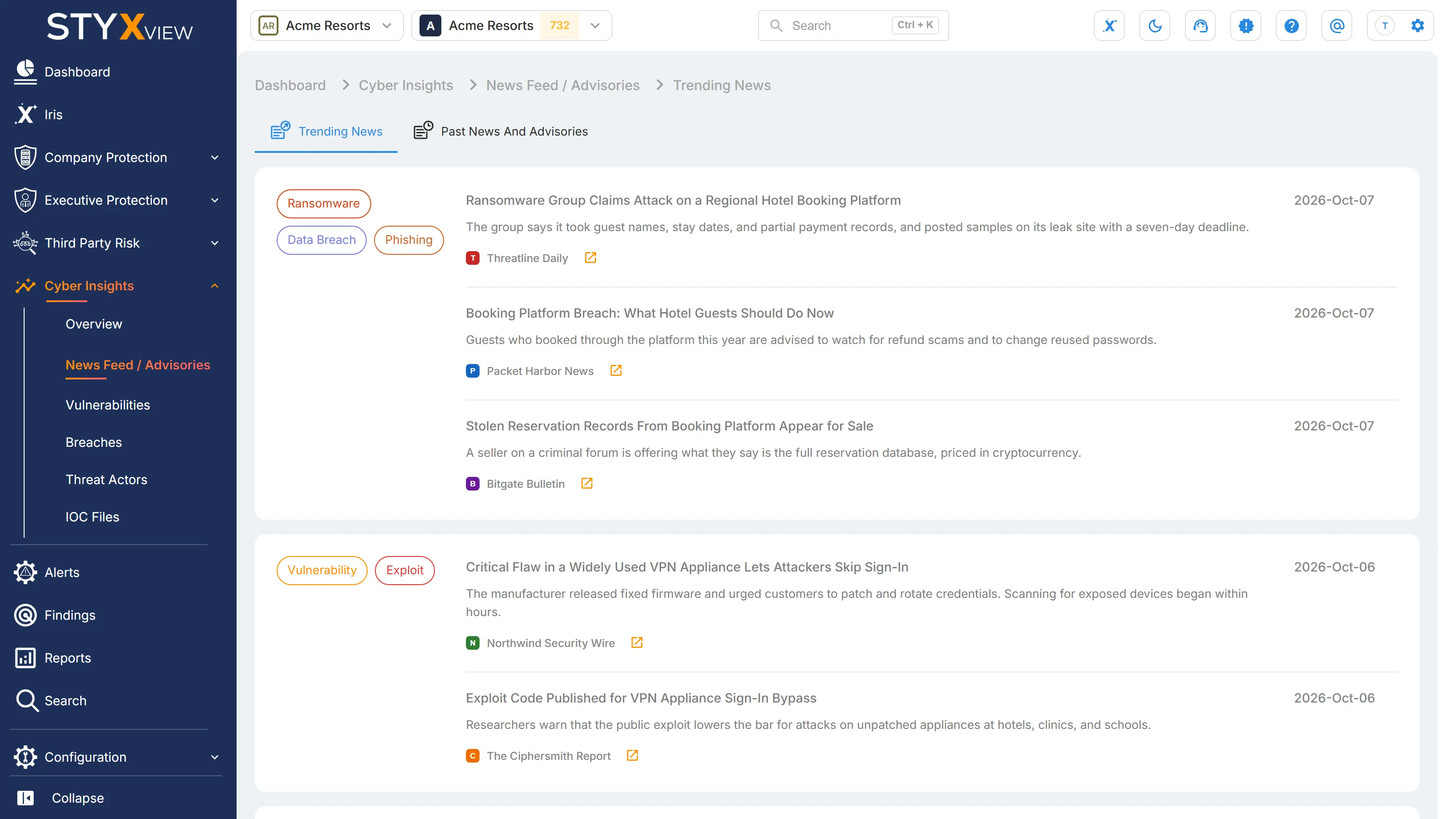
Section titled “Reading a story”Each card is one story:
- Threat types, on the left: the kinds of threat the story involves, such as Phishing, Malware, or Social Engineering.
- Articles, on the right: each article that reported the story, with its title, opening text, source, and publication date.
Select the icon beside a source name to read the original article in a new tab.
Article details
Section titled “Article details”Select an article to open its details:
- "Source", "Published", "Link", and "Description".
- The entities found in the article, such as targeted regions, sectors, and countries, CVEs, and threat actors. Select a CVE to open its record in a new tab.
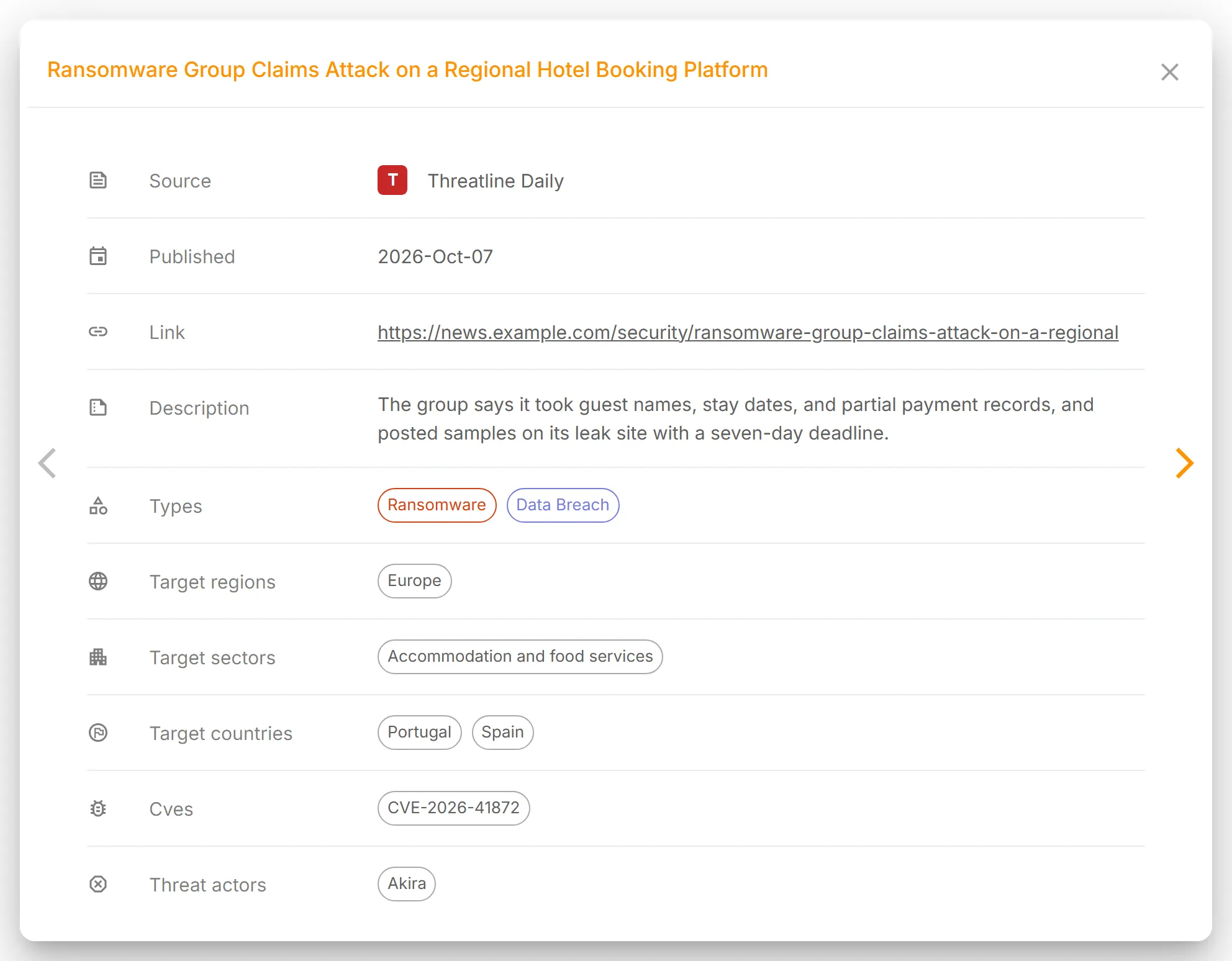
Use the arrows at the sides of the panel to move between the articles in the same story.
For older articles and advisories, with search and filters, use Past News and Advisories.
Past News and Advisories
Section titled “Past News and Advisories”"Past News And Advisories" is the searchable archive of cybersecurity news and advisories. Use it to research an earlier incident, follow how a threat developed, or see what has affected a sector or region.
To open it, select Cyber Insights, then "News Feed / Advisories", in the sidebar, then the "Past News And Advisories" tab.
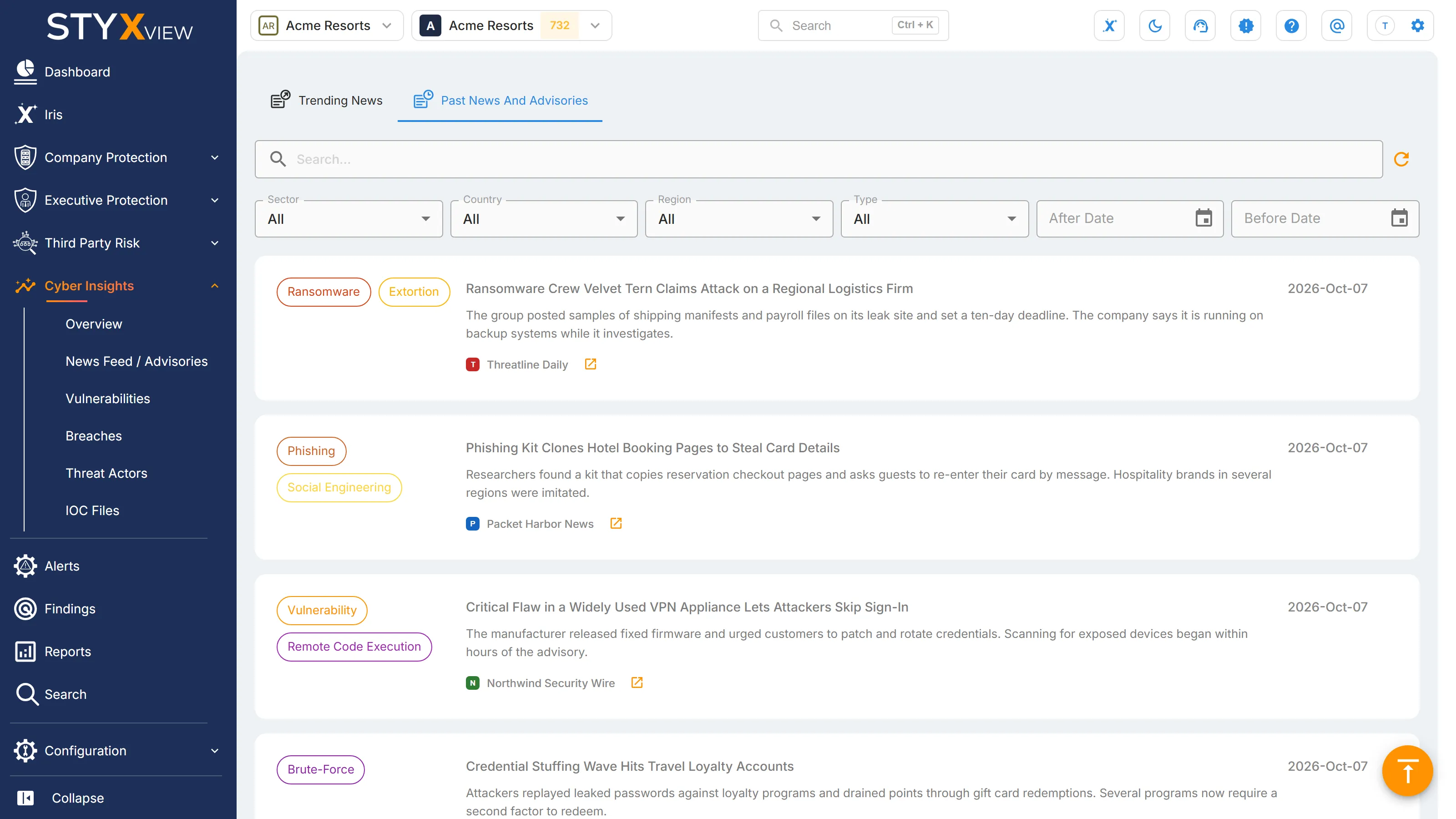
Each card is one article, with its threat types on the left, then its title, opening text, source, and publication date. Select the icon beside a source name to read the original in a new tab. Select a card to open the article's details, as described in Trending News.
More articles load as you scroll. "End of Results" marks the end of the list.
Searching and filtering
Section titled “Searching and filtering”| Control | What it does |
|---|---|
| Search box | Finds articles that match your keywords. Enter them and press Enter. |
| "Sector" | Shows articles about one industry sector. |
| "Country" | Shows articles about one country. |
| "Region" | Shows articles about one region, such as Europe. |
| "Type" | Shows articles about one threat type, such as Exploit or Ransomware. |
| "After Date" | Shows articles published after this date. |
| "Before Date" | Shows articles published before this date. |
| Refresh button | Clears the search and every filter, and reloads the list. |
A filter applies as soon as you choose it, and filters combine. Set "Sector", "Country", "Region", or "Type" back to "All" to remove it.