

IoC
"IoC" lists the indicator of compromise (IOC) events in StyxView's threat intelligence. Each event is a published report of malicious activity, such as a phishing campaign or a piece of malware, with the indicators that identify it: domains, IP addresses, file hashes, and more. Use it to look up whether an indicator you have seen is known, and to read what the events behind it describe.
To download indicators for your own security tools instead, see IOC Files.
Where to find it
Section titled “Where to find it”Select "Cyber Insights" > "IoC". The menu item is shown to users with the Admin role.
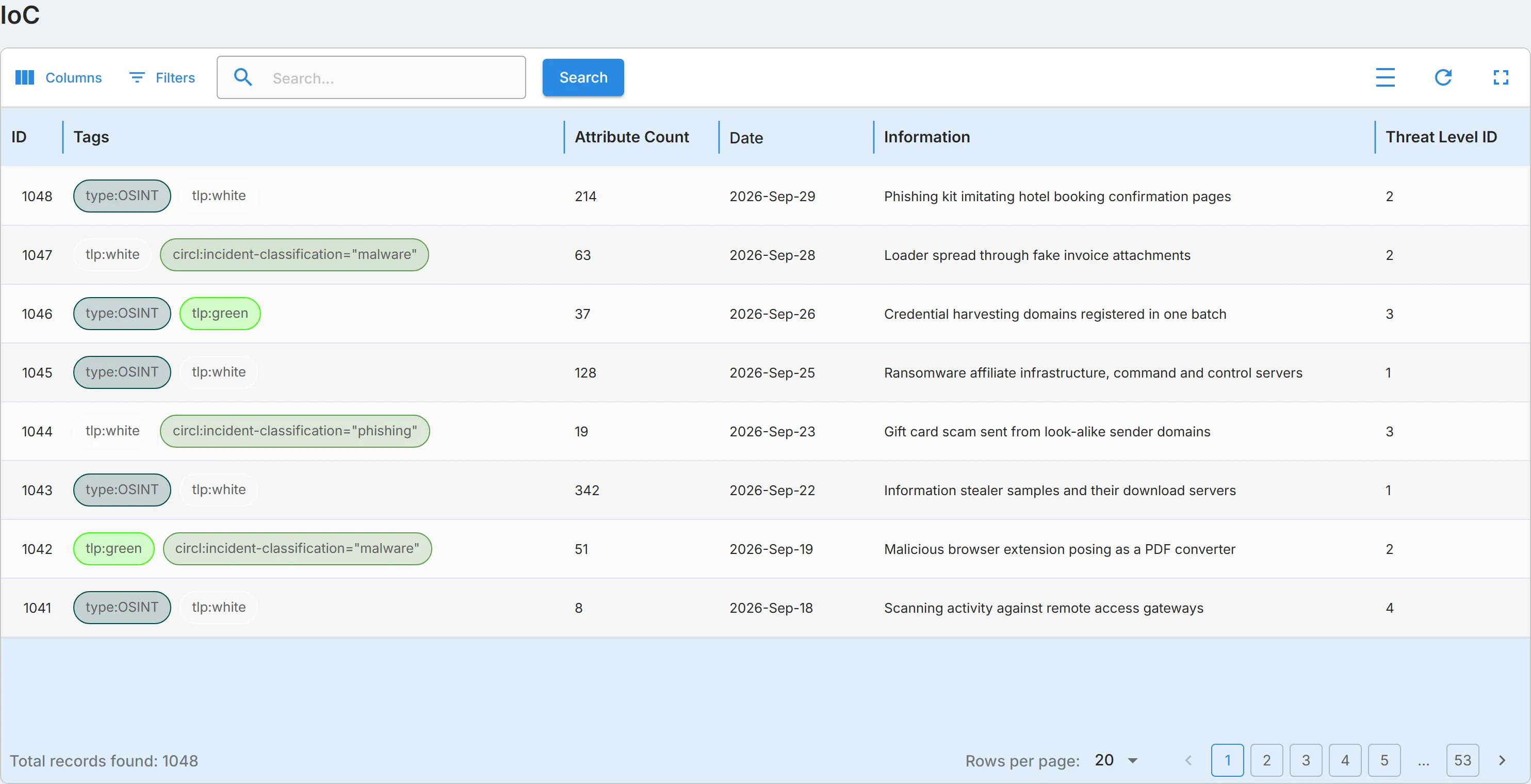
Columns
Section titled “Columns”| Column | What it shows |
|---|---|
| "ID" | The event's number. |
| "Tags" | The labels on the event, such as its source (type:OSINT) and how widely it may be shared (tlp:white, tlp:green). |
| "Attribute Count" | The number of indicators in the event. |
| "Date" | The date of the event. |
| "Information" | A short description of the event. |
| "Threat Level ID" | The event's threat level: 1 is high, 2 is medium, 3 is low, and 4 is undefined. |
Search and filter
Section titled “Search and filter”To search, enter an indicator in the search box, such as a domain, an IP address, or a file hash, and select "Search". The search looks in the indicators of each event, not in its "Information" text.
Open "Filters" to filter on:
- "Type": the kind of indicator, such as "md5", "domain", or "ip-dst". Only events that hold an indicator of that type are listed.
- "Date": events from the date you enter onwards.
See Action & Filter Bar.
If the list does not load
Section titled “If the list does not load”When the threat intelligence service does not answer, the page shows "IoC data could not be loaded. The threat intelligence service is not responding." in place of the list. Select "Try Again" to load the list again. The search and filters are cleared.